


Leaderboard
-
Gobbledok
Members7Points251Posts -
.jpg.c8720c529fe2ac69c0244c79a8202db3.jpg)
Park Addict 93
Members2Points1,481Posts -
red dragin
Members2Points1,108Posts -
Naazon
Members2Points1,594Posts
.jpg.c8720c529fe2ac69c0244c79a8202db3.jpg)

Popular Content
Showing content with the highest reputation on 02/05/23 in Posts
-
7 pointsThis is pretty sad Individual themed uniforms really add something to selling the experience Bad enough they cant have different for each ride but even park to park is the same You cant call yourself World Class with that. At best youre Regional Class7 points
-
2 pointsHonestly don't mind the general new uniform/look in general but 100% think its a poor decision to take away specific themed ride uniforms, I think it detracts from the overall themed environment experience. Sure have uniform the same across front gate/retail/food and bev. But let the "Metropolis Rapid Transit" employee check my superman restraint. My understanding is Roxy is the only attraction that is retaining the "old" uniforms.2 points
-
2 pointsWasn't the new owner an investment company? If that's true, these are expenditure cuts to increase profits (probably explains the poor appearance of the park too)2 points
-
2 pointsYou can see both M and W here. The crane connection spot things are clearly different for M and W also, so its not like they got 2 of the same and made do.2 points
-
1 pointIf that is the case then the ride-specific costumes could make a comeback once flipped in a few years. I remember when Wonderland cleared out, they still had several ride-specific costumes in Wardrobe that had long since gone out of use - Presumably VR's wardrobe department won't just destroy the old ones so hold tight to the dream and maybe one day they'll come back?1 point
-
1 pointSo they're moving futher away from Disney/Universal level and heading closer towards Six Flags1 point
-
I'm going there on Thursday for a function. I'll see if I can get a look at what's going on.1 point
-
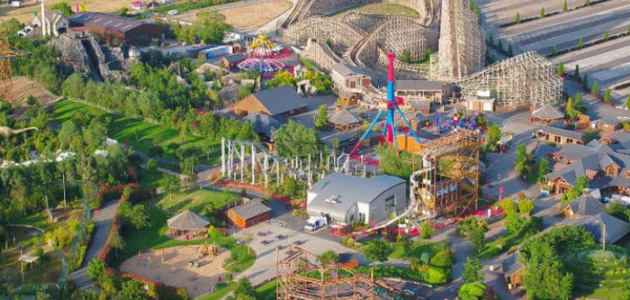
Here is some great vision of the park . This is found on YouTube.1 point
-
It's quite curious they've picked a font with such small counters and identical M's & W's. 🤷🏻♂️ They're two completely different typefaces.1 point
-
1 point



This leaderboard is set to Brisbane/GMT+10:00