


Leaderboard



Popular Content
Showing content with the highest reputation on 01/12/21 in all areas
-
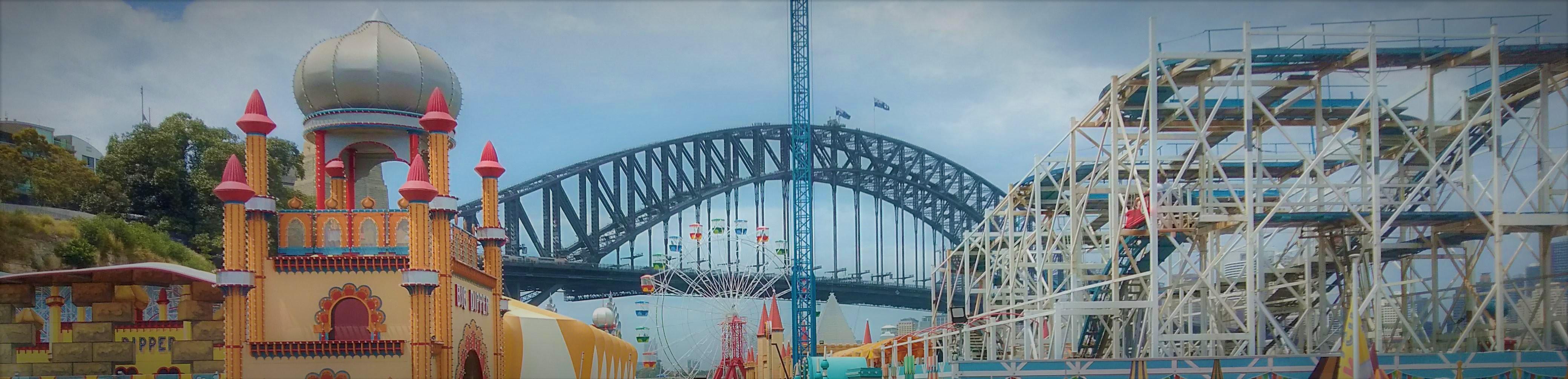
2 pointsIt seems to be their main graphic used to advertise their NYE event at the park. I'd imagine that they just had a background-less coaster track image lying around and just slapped it on to save time cause the track is just the same image duplicated at slightly different sizes. Otherwise they'd need to have a photographer go out with ideal lighting, find the right angle for the track, take the picture, edit it and then cut out the background to chuck it on the graphic. That's a lot of work for a single event where the ride isn't the focus. From what I know the marketing and content team at LPS is pretty small (and watching the job listings they're struggling to fill spots) so I don't envy their work load. Likely they just pumped it out as quick as possible and then moved onto the next thing.2 points
-
Dreamworld’s Steel Taipan roller coaster Prepares to Launch The wait is almost over for Dreamworld’s triple launching, four time inverting roller coaster. Click here to continue reading1 point
-
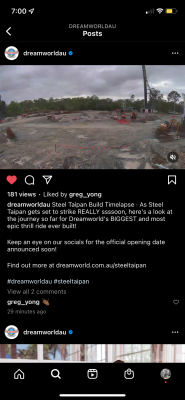
1 pointin Dreamworlds new instagram post (time lapse construction) it says “REALLY ssssoon” this conspiracy may be a stretch but could the amount of S’s indicate how many days till an announcement of the opening date? if so 4 more days which would lead to the 5th, meaning around the 12th could be the most likely opening date… just a conspiracy though most likely wrong
 1 point
 -
1 point
-
1 point
-
1 pointA logo featuring even less rides than the original one, seems appropriate considering the state of the park.1 point
-
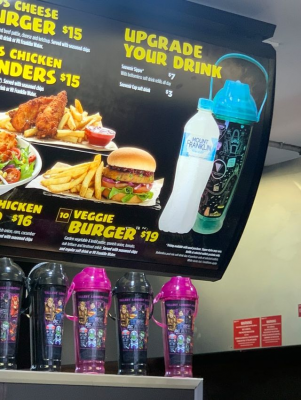
0 pointsOn this note, it appears we are going from individual park designs on the all day sippers to a VRTP branded one. They also just had a price rise to $15 and $9 to reactivate.
 0 points




This leaderboard is set to Brisbane/GMT+10:00