




Gold Coast Amusement Force
Members
-
Joined
-
Last visited
Everything posted by Gold Coast Amusement Force
-
Line to get passes or pass photos Lets start the list of minor adjustments here
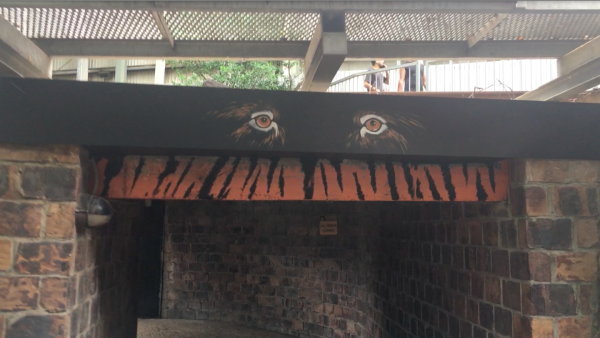

 https://instagram.com/p/BhEFzarHdnC/Does anyone know if that rock place near the tiger cubs has always been called rock habitat or is that new.The queue for tot up to the tunneled pipe part has been repainted.Wipeout got its jets back https://www.youtube.com/watch?v=kyfpbLmrqxADreamworld's new tiger cubs have arrived and are able to be viewed by the public, although they seem very sleepy. The Tiger Cubs are available in a group session that goes for 20 minutes where you are able to get close to the tigers and have photos taken. This comes at a 140 dollar price tag. They can be seen near the end of pandemonium and the tiger island shop. This comes after Dreamworld introduced the "get close" to the tigers experience where guests can get close to the tigers through a glass wall experience. This sounds like a report but oh well
 Haven’t seen the Dreamworld ride express booth open in a while, was open todaySo you think dragon racing is enough to keep such a valuable attraction entertaining and interesting for a long period of time for regulars.That sounds awfully plain and boringThat would be quite stupid to spend all that money just to reposition it.




Important Information
By using this site, you agree to our Terms of Use. We have placed cookies on your device to help make this website better. You can adjust your cookie settings, otherwise we'll assume you're okay to continue.
Account
Navigation
Search
Configure browser push notifications
Chrome (Android)
- Tap the lock icon next to the address bar.
- Tap Permissions → Notifications.
- Adjust your preference.
Chrome (Desktop)
- Click the padlock icon in the address bar.
- Select Site settings.
- Find Notifications and adjust your preference.
Safari (iOS 16.4+)
- Ensure the site is installed via Add to Home Screen.
- Open Settings App → Notifications.
- Find your app name and adjust your preference.
Safari (macOS)
- Go to Safari → Preferences.
- Click the Websites tab.
- Select Notifications in the sidebar.
- Find this website and adjust your preference.
Edge (Android)
- Tap the lock icon next to the address bar.
- Tap Permissions.
- Find Notifications and adjust your preference.
Edge (Desktop)
- Click the padlock icon in the address bar.
- Click Permissions for this site.
- Find Notifications and adjust your preference.
Firefox (Android)
- Go to Settings → Site permissions.
- Tap Notifications.
- Find this site in the list and adjust your preference.
Firefox (Desktop)
- Open Firefox Settings.
- Search for Notifications.
- Find this site in the list and adjust your preference.