
Skip to content

Movie World Hypercoaster - colour, theme and announcement speculation
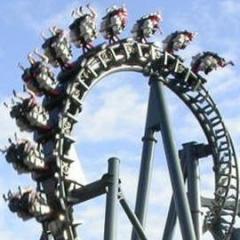
Pink Track 102 members have voted

  1. 1. Pink track: what's the theme?

    • Joker
      31%
      32
    • Suicide Squad
      39%
      40
    • Wonder Woman
      8%
      9
    • Flash
      0%
      1
    • Aquaman
      0%
      1
    • Other (tell us in a post)
      18%
      19

Please sign in or register to vote in this poll.

Featured Replies

  • Replies 758
  • Views 186.6k
  • Created
  • Last Reply

Top Posters In This Topic

Most Popular Posts

  • *pretends to be shocked by your predictable smart ass responses*

  • I was going to save this for an article, but I see an opportunity here to debunk the "why does everyone hate on MW" train that goes round so often here, so here goes: I actually went to the effort of

Posted Images

That would be a cool theme, and pretty relevant. The only issue I have is that there will be 3 separate areas of villains themed rides, this, DD area and AA. Not complaining, and DC is basically all together, just would've thought they'd try keep heroes and villians separate.

  • Author
3 minutes ago, Santa07 said:

@Inverted did you take the photos yourself? I'm just wondering if the track is as pink as it looks, or if it's more of a purple-y colour and the light makes it look more pink - that way it could always be a batgirl/huntress themed ride?

Sure did.    Yes they are as pink as it looks.   the colour in photo looks pretty accurate


Teen titans

this could be a star saphire section of the ride

Edited by BXgamerzX

Pink is definitely not Wonder Woman, that colour is not linked to her at all.

its gotta either be a Joker Coaster and the part itself is more purple than pink, and there will be green sections to come with it...

or ....

i have nothing... 

Join the conversation

You can post now and register later. If you have an account, sign in now to post with your account.
Note: Your post will require moderator approval before it will be visible.

Guest
Reply to this topic...

Recently Browsing 0

  • No registered users viewing this page.

Account

Navigation

Search

Search

Configure browser push notifications

Chrome (Android)
  1. Tap the lock icon next to the address bar.
  2. Tap Permissions → Notifications.
  3. Adjust your preference.
Chrome (Desktop)
  1. Click the padlock icon in the address bar.
  2. Select Site settings.
  3. Find Notifications and adjust your preference.