


Leaderboard
-
DaptoFunlandGuy
Members4Points15,643Posts -
TBoy
Members3Points652Posts

Popular Content
Showing content with the highest reputation on 26/07/23 in all areas
-
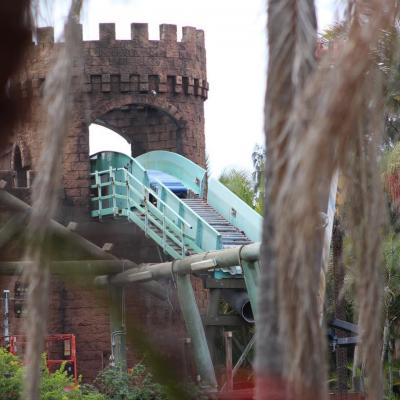
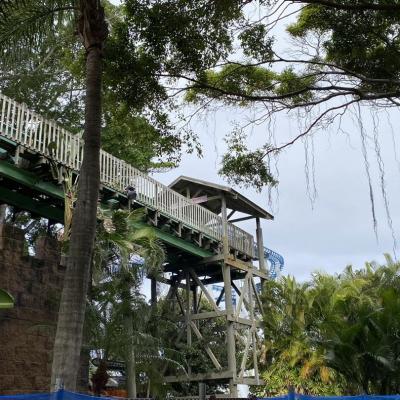
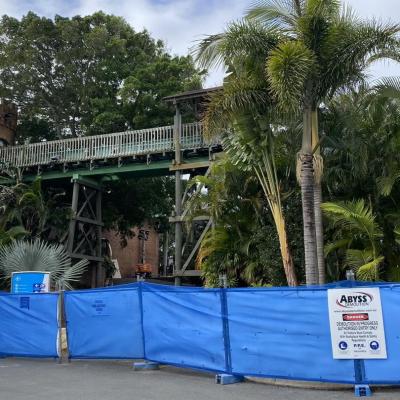
3 pointsThe section going through Storm is also apparently gone (leaving just the castle section) and demolition walls have been put outside of the castle (thanks to Gold Coast Theme Parks) If this means the Castle is also going, I wonder what will eventually replace it? My guess is we will see something in the area in 2025/2026 after Flash/WoO opens.
 3 points
 -
This is the key here. There is absolutely nothing to do with heritage, it is - plain and simply - not worth spending the money on tearing something down unless you need that space for something else, OR it's dangerous leaving it as it is. When Storm Coaster was built, the quoted "cost" of the ride included the costs of demolishing Bermuda. By including the demolition costs in the overall construction, it forms part of the 'new ride' budget, rather than having to find capital works budget elsewhere. It also has potential tax benefits if it was costed as part of new capital infrastructure, as opposed to standalone demolition of end-of-life assets. There are many benefits to doing it as part of your new project. There are no benefits (other than perhaps aesthetics of the park) to remove it at end of life with no plan on what you're doing with it. Heritage doesn't even play a part. No question. End of story. Period.3 points
-
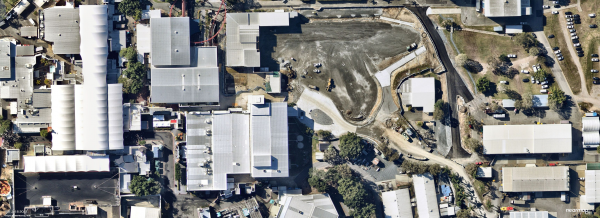
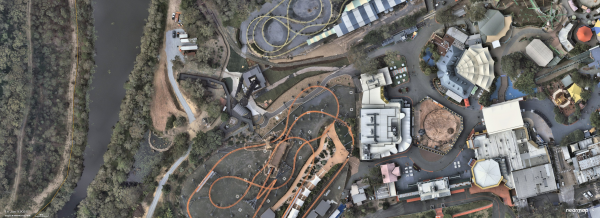
1 pointNew Updates - 8/7/2023 - Movie World - WOZ, Flash and coaster track in the storage yard. Sea World - 8/7/2023 Dreamworld - 9/6/2023
.thumb.png.6fcecab18c3397d511d4554cade6bf66.png)
.thumb.png.097134e48cc6e2fe32569e8b766e7029.png)
.thumb.png.d047c793af73d5c749a66fb70001b008.png)
.thumb.png.ff8a13616ee2d1b4d23e3f7822ecfa41.png)
 1 point


.png.c42295f2e87bf8d70bb02e6d9bdaa026.png)
.png.7513d77ca1b865521eef2c207b6dec70.png)
.png.c06a0a1d623d17e83ccbc7873c8b35f8.png)
.png.d69fa4b0a83f141c464e190adb179a75.png)

This leaderboard is set to Brisbane/GMT+10:00