
Skip to content

My Day At Movie World
Featured Replies

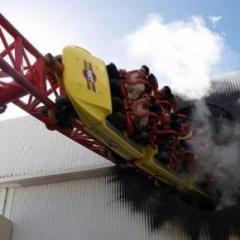
Hello, Ok well ill start of when we arrived (offcourse) ;) We had bought our tickets already and we picked the wrong line! There was a guy scanning his ticket waiting for a beep :blink: he was their for 10 mintutes until someone pointed it out :huh: so that delayed us getting in ( BECAUSE IT HAPPENED AGAIN). We ran straight to SE and got on in about 30 minutes. We went on that straight away cause we knew it would brake down by 12. and it did :rolleyes: . Then we went to SDSC and that was a 40 min wait. I noticed that the disco room had some more lasers working then last time. After that we had something to eat and endin up going on WWF , it soaks you alot now!We ended up going on SDSC again and then watched the new HWSD show which i found quite boring! So we ended going back by 5pm. So that was my day. I have some questions though. When SE Broke down it kept going through test runs. One time it was normal and the next time a tiny bit slower but does anyone have any idea why it always brakes down around lunch? Movie_World

police academy was waaaaaaay better, i think your right about it being boring, IT HAS NO STORYLINE!!

  • Author
police academy was waaaaaaay better, i think your right about it being boring, IT HAS NO STORYLINE!!
They do to much talking , no story line and the only good bit is at the end. otherwise their just going around corners and chasing each other!
Obviously I agree.

Edited by Gazza
Spelling and puncutation please!

It doesn't always break down around lunch, it's pretty reliable these days.

Join the conversation

You can post now and register later. If you have an account, sign in now to post with your account.
Note: Your post will require moderator approval before it will be visible.

Guest
Reply to this topic...

Recently Browsing 0

  • No registered users viewing this page.

Account

Navigation

Search

Search

Configure browser push notifications

Chrome (Android)
  1. Tap the lock icon next to the address bar.
  2. Tap Permissions → Notifications.
  3. Adjust your preference.
Chrome (Desktop)
  1. Click the padlock icon in the address bar.
  2. Select Site settings.
  3. Find Notifications and adjust your preference.