
Skip to content

MW New Website Backgrounds
Featured Replies

Wasn't sure how new these are but they definitely weren't there the last time I visited MW's actual website. Some of the pages for their rides have new backgrounds.

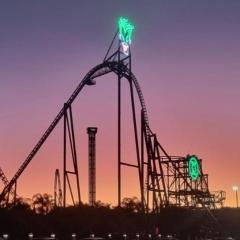
GL:
120213_greenlanterncoaster_background.thumb.jpg.a6800595de94c44cc5c8e88e4fe34de5.jpg

Batwing:
bg-pages-dark.thumb.jpg.1057ea397c1fb39b6549f0fd864a06d6.jpg

SDSC:
bg-pages-scooby.thumb.jpg.f4291debecf9230351f77ca735fb68f6.jpg

SE:
bg-pages-super.thumb.jpg.922c50350d52cb47c7db3d11e166da50.jpg

WWF:
bg-pages-wwf.thumb.jpg.5d036940bad78fd4bd0daee40d9b6cd4.jpg

DC Rivals:
BSH1_Background-v4.thumb.jpg.616b9e2f9c3e8adfcab2c673accc4174.jpg

and

Arkham Asylum:
movieworld_homepage_background_arkham3.thumb.jpg.e7dcc6fd26ad7425255b0a30f1b1ec61.jpg

I think they are a nice new touch.

Join the conversation

You can post now and register later. If you have an account, sign in now to post with your account.
Note: Your post will require moderator approval before it will be visible.

Guest
Reply to this topic...

Recently Browsing 0

  • No registered users viewing this page.

Account

Navigation

Search

Search

Configure browser push notifications

Chrome (Android)
  1. Tap the lock icon next to the address bar.
  2. Tap Permissions → Notifications.
  3. Adjust your preference.
Chrome (Desktop)
  1. Click the padlock icon in the address bar.
  2. Select Site settings.
  3. Find Notifications and adjust your preference.