


Leaderboard
-
DaptoFunlandGuy
Members4Points15,642Posts -
New display name
Members3Points8,179Posts -
ShakeShack
Members2Points302Posts -
TV15
Members1Points248Posts



Popular Content
Showing content with the highest reputation on 24/10/25 in all areas
-
3 pointsYeah I feel like someone played around with wordart in microsoft publisher a little too much. The one day holiday tag will always be synonymous with Dreamworld, especially since they re-released the original jingle a few years back - though I don't think they're still maintaining that trademark so it's probably fair game - but they should have gone instead for 'the happiest place on earth'. I definitely like the old logo better.3 points
-
2 pointsI really feel like this is a massive miss. The park is a hidden gem, which always has a high quality feel to it, this takes all of that away imo. The new logo feels so cheap and nasty, wouldn't be surprised if it was cooked up by ChatGPT. It also feels extremely confusing, with a different colour on each logo they've posted so far, just feels MESSY. If they want to be taken as a serious player in the game, ripping off one of the biggest players in the country really isn't the way to go about it.2 points
-
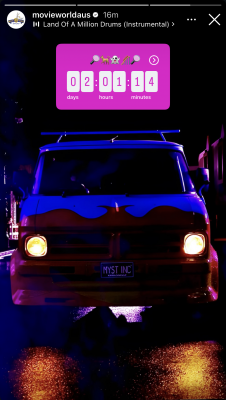
New Scooby Doo Spooky Coaster announcement Sunday, 26th October 4pm
 1 point
 -
1 pointI feel like it wants to be a hot air balloon like the Worlds of Fun logo. Can anyone find the old logo when it was called Alpine Toboggan Park?1 point
-
1 pointI't not funny at all. I have told you many times, I use my partners Facebook to see post about theme parks. I don't know how many times I have to tell you that before it sinks in Peter.1 point
-
1 pointIt'll just be generic Canva crap. All the marketing girls are into it these days.1 point
-
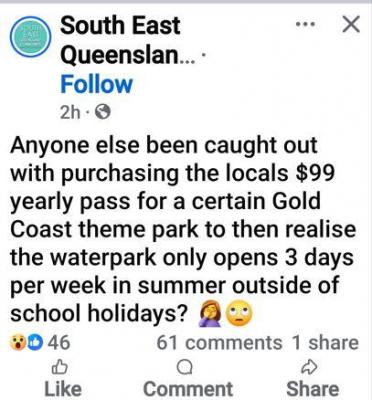
1 pointDW I have some reviews you might want to stick in your report, for the November AGM. //s (34deg and WWW was closed)
 1 point
 -
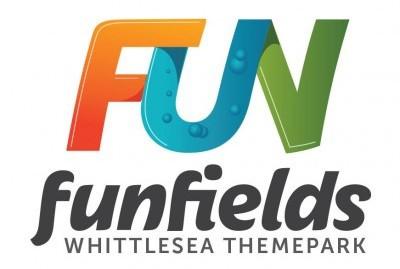
1 pointFor reference, this was the former logo I think the new one is quite the downgrade and that marketing image is very messy.
 1 point
 -
1 point
-
I disagree. I'd rather a park honour it's history than turn it into storage sheds.1 point




.thumb.jpeg.eb47109a7befe09821c7d8c9e1565e4c.jpeg)
This leaderboard is set to Brisbane/GMT+10:00